Material guide
Filament Dryers for Consistent 3D Printing: What to Look For
From planning to printing
Find material for your next print
Compare current colors, prices, and setup requirements before choosing a spool for your project.
Share this guide
Get the article link

Last Updated: October 30, 2026
Quick Summary
A filament dryer heats spools to a set temperature so trapped moisture leaves the filament before printing. Look for precise temperature control within the material maker's limits, enough capacity and airflow for your spools, and a clear display. Dry filament first, then tune settings to fix remaining issues.
- Set drying temperature within the limits on the spool label or the maker's data sheet.
- Wet filament can cause popping, bubbling, rough surfaces and weak layer bonds.
- A dryer will not fix stringing caused by retraction or nozzle temperature.
- Store opened spools sealed with desiccant, since filament reabsorbs moisture after drying.
- Compare dryers on temperature control, capacity and spool compatibility for your workflow.
Table of Contents
- Why Moisture Causes Inconsistent Prints
- Signs of Wet Filament You Can Spot Before Printing
- Does a Filament Dryer Actually Help With Stringing?
- Key Features to Compare in a Filament Dryer
- Filament Drying Temperature Guide by Material
- Common Mistakes When Drying Filament
- Choosing Your Dryer and Setting Up Your Workflow
- Frequently Asked Questions
Why Moisture Causes Inconsistent Prints
Filament is hygroscopic, meaning it absorbs water from the surrounding air over time. Many materials, including nylon, PETG, TPU, and some PLA blends, can take on enough moisture to change how they extrude. When wet filament reaches the hot end, trapped water turns to steam, which causes bubbling, popping, and uneven flow. The result is often a print that looks fine on paper but shows rough surfaces, weak layer bonds, and inconsistent dimensions from one part to the next.
Moisture rarely causes a single dramatic failure. More often it creates small, variable problems that are hard to diagnose. A print may succeed on Monday and fail on Thursday with the same settings, because the spool sat open over the weekend. This is why a dedicated filament dryer is a common consideration for makers who want repeatable results rather than occasional luck.
Signs of Wet Filament You Can Spot Before Printing
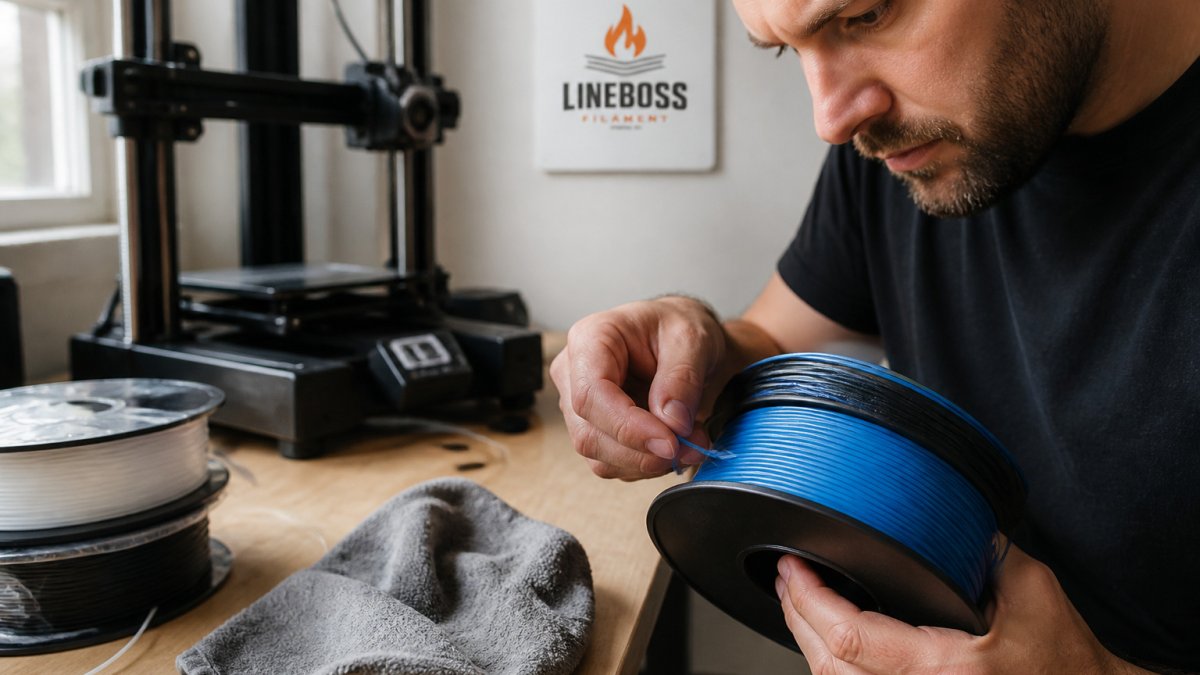
Wet filament usually gives warning signs before a print begins. Listen to the extruder during the first few millimeters of extrusion. Crackling, hissing, or popping sounds often indicate moisture turning to steam inside the nozzle. Watch the first layer too. Stringy, foamy, or inconsistent extrusion lines are a strong sign the spool needs drying.
Inspect the filament itself. Surface haze, a dull appearance on a glossy material, or small bubbles visible at the cut end can all point to absorbed water. Brittleness at the spool end, where the filament has been exposed longest, is another clue.
Does a Filament Dryer Actually Help With Stringing?
Stringing is often blamed on moisture, but it has several causes, including retraction settings, travel speed, and nozzle temperature. A filament dryer can reduce one contributing factor, because wet filament tends to ooze and string more readily. However, a dryer will not fix stringing caused by poor retraction tuning or an overly hot nozzle. Makers who want to address stringing systematically should check filament condition first, then temperature, then retraction and travel. The primary printer manufacturer's documentation is a useful reference for these checks, though it should be used alongside the material maker's own guidance.
Drying is most valuable as a baseline step. Once filament is confirmed dry, any remaining stringing points more clearly to settings rather than moisture.
Key Features to Compare in a Filament Dryer
Not every dryer suits every workflow. A hobbyist printing occasionally has different needs from a print farm running several printers at once. The factors below help narrow the choice.
Temperature Control and Material Limits
Look for a dryer that lets you set and hold a specific temperature, and confirm that its range matches the materials you use. Drying temperatures must stay within the limits published by the filament maker, because heating some materials too far can cause deformation or sticking on the spool. A dryer with a clear display and adjustable settings makes it easier to follow those limits precisely.
Airflow, Capacity and Spool Compatibility
Check how many spools the dryer holds and whether it accepts the spool sizes you use. Consistent airflow matters because uneven drying leaves some filament wetter than the rest. Also consider whether the dryer can keep filament dry during printing, or whether you will need a separate solution for that step.
Filament Drying Temperature Guide by Material
Drying temperature depends on the material and the filament maker's recommendation. Always confirm the exact setting on the spool label or the maker's technical data sheet before drying. For LineBoss material starting settings and a tuning workflow to pair with drying, see the slicer settings resource.
Drying time also varies with spool size, the degree of moisture absorption, and dryer performance. Follow the maker's recommended duration as a starting point, then check print quality rather than assuming a fixed time is correct.
The article points to the filament maker's recommendations for drying temperature and time, so the key points are summarised here.
| Factor | What the article says | Note |
|---|---|---|
| Drying temperature | Set by the material; confirm on spool label or data sheet | Stay within maker limits |
| Drying time | Varies with spool size, moisture absorbed, dryer performance | Start with maker's duration, then check print quality |
| After drying | Filament re-absorbs moisture once removed from sealed storage | Print promptly; store with desiccant |
Common Mistakes When Drying Filament
Another mistake is assuming dried filament stays dry indefinitely. Once removed from a sealed container, filament begins absorbing moisture again. Store spools in sealed containers with desiccant when they are not in use, and print promptly after drying.
A third mistake is treating a dryer as a cure for every print defect. As noted above, stringing, layer adhesion, and dimensional problems often have several causes. Drying addresses moisture only.
Choosing Your Dryer and Setting Up Your Workflow
Start by listing the materials you print most often and their drying requirements. Then compare dryers on temperature control, capacity, and spool compatibility. For a small print farm, capacity and the ability to keep several spools dry matter more than for a hobbyist printing a few spools a month.
Once you have a dryer, build a simple routine. Dry each new spool before its first use, store opened spools sealed with desiccant, and log the drying settings you use for each material. Pair this routine with the 3D printing cost calculator if you want to track material use across projects. Over time, a consistent workflow does more for print quality than any single piece of equipment.
Frequently Asked Questions
Is a filament dryer necessary for PLA?
A dryer is not strictly required for every PLA spool, but PLA absorbs moisture from ambient air over time, and damp PLA can produce weak layers, rough surfaces and extra stringing. If your spools sit in a humid room or are opened and left out for long periods, a dryer or sealed storage with desiccant helps keep extrusion consistent. Check the drying guidance from your filament maker and your printer's documentation for the material you are using, since limits vary by product.
How do I know if my 3D printer filament is wet?
Common signs include popping or hissing sounds during extrusion, fine bubbles visible in the melt, stringing and oozing between parts, rough or fuzzy surfaces, and inconsistent line width. Printing the same model from a freshly dried section of the same spool and comparing results is a practical test. Visual inspection alone is not conclusive, so compare prints from before and after drying whenever possible.
Does a filament dryer help with stringing?
It can. Moisture turns to steam in the hot end, which causes bubbling and erratic flow, and that often shows up as stringing and blobs. Drying the filament removes much of that variable, but stringing also depends on retraction settings, travel speed and nozzle temperature. A dryer is one part of the fix, not a complete solution on its own.
How long should I dry my filament before printing?
Drying time depends on the material, the spool's moisture level and the dryer you use, so there is no universal number. Follow the temperature and duration guidance from the filament manufacturer for that specific material, and avoid exceeding the stated temperature limits.
